
Reduce Screen Time: 6 Realistic Steps for Adults

The fastest way to cut nonessential screen time is to combine six moves at once: measure your baseline, block off phone-free zones, strip out the notifications that trigger pickups, add physical friction, manage work screens with real breaks, and pre-plan offline replacements. Doing one of these barely moves the needle. Doing three or four together is what actually works, according to research on nudge-based interventions.
Start this hour:
-
Check your phone’s built-in screen time tracker.
-
Turn off notifications for three apps you check reflexively.
-
Set your charger up outside the bedroom.
Expect fewer pickups within a week, better sleep within two, and noticeably sharper focus by the end of the month.
Key Takeaways
Cutting nonessential screen time works when you combine measurement, environmental friction, and planned replacements instead of relying on willpower alone.
| Point | Details |
|---|---|
| Measure before changing | Track daily minutes, pickups, and longest phone-free stretch for four to five days first. |
| Set realistic weekly targets | Cut nonessential use in 20 to 30 minute increments rather than aiming for zero immediately. |
| Remove triggers, add friction | Turn off notifications and badges, then layer in physical distance or lockboxes as needed. |
| Protect the hour before bed | Keep the bedroom phone-free and avoid screens for some time before sleep to protect melatonin. |
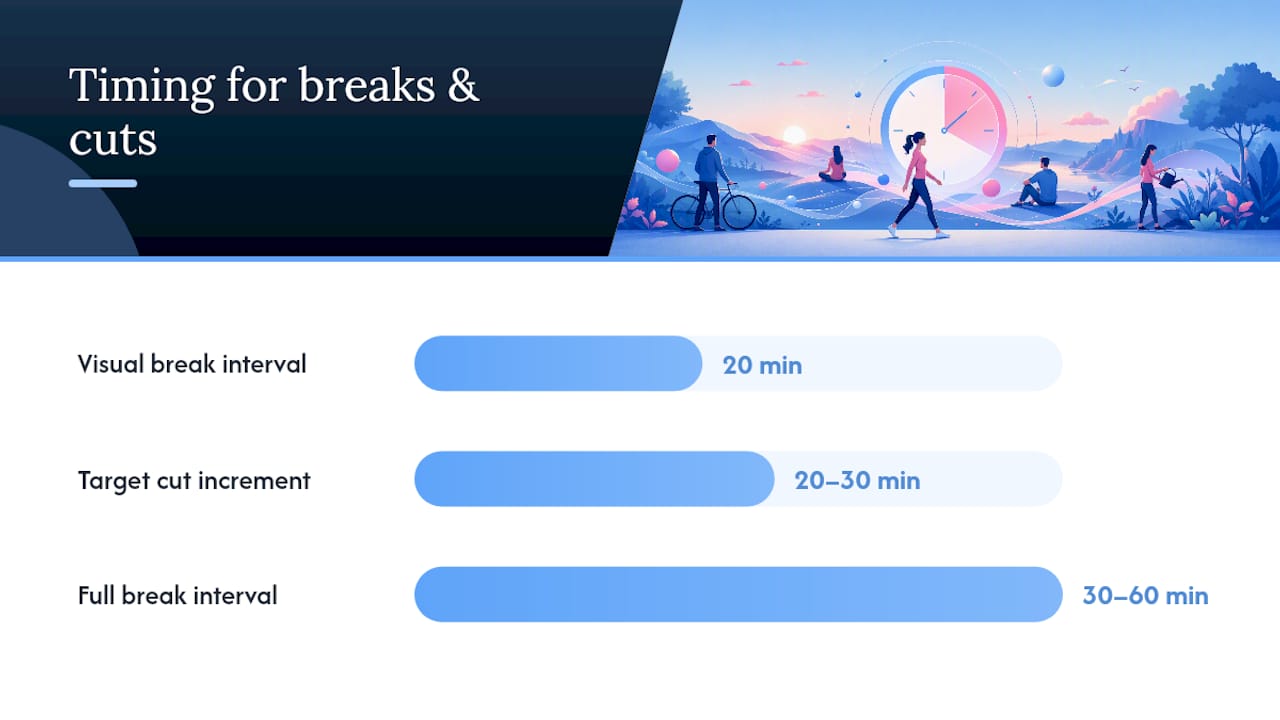
| Follow the 20-20-20 rule | Take regular visual breaks every 20 minutes and periodic full breaks every 30 to 60 minutes. |
Ready to build lasting habits around these changes? Explore Habit Forge for a guided, evidence-based program that tracks your progress, or try Groundwork if an underlying trigger like anxiety keeps pulling you back to your phone.
Table of Contents
How to reduce screen time by tracking your baseline first
You cannot fix what you have not measured. Screen Time on iOS and Digital Wellbeing on Android both break down daily minutes by app, count pickups, and show your longest phone-free stretch. That last number matters more than people think. Anything under 90 minutes usually signals reflexive checking rather than intentional use.
Track three things for four to five days before changing anything:
-
Total daily nonessential minutes (social media, news, entertainment apps).
-
Number of pickups per day.
-
Longest uninterrupted phone-free period, ideally during waking hours.
If your baseline is high nonessential use, a realistic first goal is to gradually reduce it within two weeks rather than eliminate it immediately. Cut in 20 to 30 minute increments weekly. The American Medical Association frames the real question as whether screen use interferes with sleep, food, movement, and family time, not whether you hit an arbitrary number.
Pro Tip: Track for a few days without trying to change anything first. Judging yourself mid-measurement skews the data and makes the baseline useless.
Why phone-free zones and scheduled downtime work
Fixed times and zones remove the constant negotiation with yourself. When the rule is “no phones at dinner” instead of “I’ll try not to check my phone at dinner,” you stop spending willpower on every meal.
A sample evening structure:
-
8:00 to 9:00 PM: normal screen use winds down.
-
9:00 PM: phone goes on a charger outside the bedroom.
-
9:00 to 9:30 PM: reading, stretching, or a physical alarm clock replaces the phone’s alarm function.
-
Dinner table and bedroom stay phone-free zones, full stop.
Stanford Lifestyle Medicine and Harvard Health both point to the hour or two before bed as the highest-leverage window, since screen light in that stretch interferes with melatonin production for many people.
Pro Tip: Negotiate boundaries with your household in advance, not in the moment. Agree on one exception, like a shared “urgent contacts” list, so nobody feels cut off from real emergencies.
What triggers make you pick up your phone?
Most pickups are not decisions. They are reactions to a buzz, a badge, or a lockscreen notification your brain has learned to chase. Strip the cues and the reflex fades fast.
Quick actions to take today:
-
Turn off notifications for everything except calls, texts, and calendar alerts.
-
Disable app badges (the little red numbers) entirely.
-
Delete social apps from your home screen, or move them to a folder on the last screen.
-
Switch your display to grayscale in settings.
-
Replace your lockscreen photo with something calm and add a short text reminder like “check: why am I here?”
Fewer prompts mean fewer pickups. Research on smartphone addiction interventions shows that reducing prompts alongside other small changes produces measurably lower problematic use than any single tactic alone.
Adding friction: how hard should you make it to scroll?
Friction works because your brain weighs effort against reward. Make the reward harder to reach, and the reflexive urge often fades before you act on it.
Low friction: leave your phone in another room while working, or keep it in a bag instead of your pocket.
Medium friction: reorganize your home screen so distracting apps are buried, set a longer alphanumeric passcode, or use built-in app time limits.
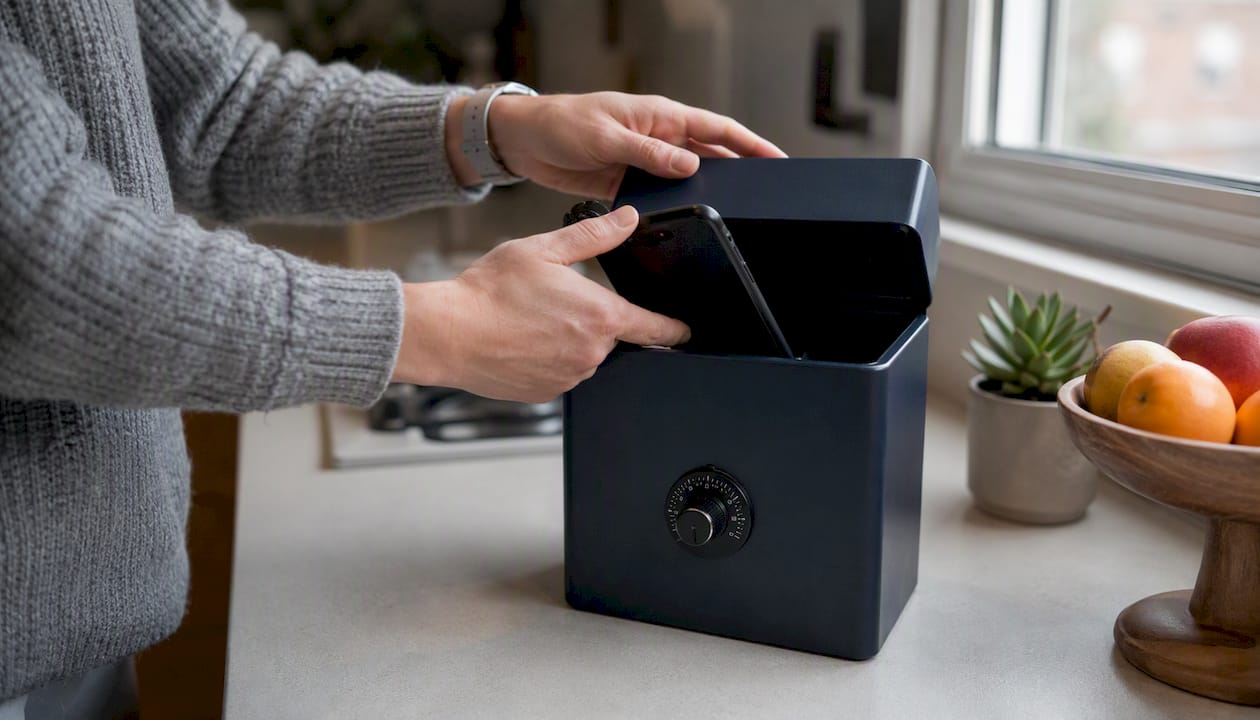
High friction: a physical lockbox with a timer, or temporarily switching to a basic phone for a trip or a weekend.
Higher friction works faster but costs more convenience, so match the tier to how stuck you actually feel. If low friction hasn’t moved your numbers in two weeks, escalate.
Pro Tip: Stack tiers instead of picking one. Grayscale plus a locked drawer plus no phone at the dinner table beats any single method run in isolation.
How often should you take breaks from work screens?
Necessary screen time at work needs different rules than recreational scrolling. Eye-health specialists recommend the 20-20-20 rule: every 20 minutes, look at something roughly 20 feet away for 20 seconds. Pair that with a full break every 30 to 60 minutes.
-
Set a recurring timer for 20 minute eye breaks and a separate one for 45 minute movement breaks.
-
Stand, stretch, or walk to another room during the movement break.
-
Check your monitor height and chair posture once a week; a screen positioned below eye level strains the neck over a workday.
Short break ideas that actually fit a workday:
-
A two-minute walk to refill water.
-
Ten slow neck rolls and shoulder shrugs.
-
Stepping outside for fresh air between meetings.
What to do instead of scrolling
Having a real alternative ready matters more than willpower in the moment. Pick something before the urge hits, not during it.
Five minutes: ten push-ups, a two-minute stretch sequence, or jotting one line in a journal.
Fifteen minutes: clean one room while a single album plays, read a chapter, or call a friend instead of texting.
Thirty-plus minutes: a walk outside, a workout, or an in-person visit with someone you care about.
Outdoor and social options do double duty: they cut screen time and counter the isolation that heavy phone use tends to reinforce. Keep a short list of these “go-to” options written down somewhere visible, so you are not improvising while already holding the phone.
The behavioral science behind why this actually works
BJ Fogg’s model explains most failed New Year’s resolutions in three words: prompt, ability, motivation. A behavior happens when all three line up at once. Remove the prompt (the notification), and the behavior often never fires, no matter how strong the underlying urge.
Urge surfing, a technique borrowed from addiction treatment, treats a craving like a wave: it rises, peaks, and passes within a couple of minutes if you don’t act on it. Naming the urge out loud (“I want to check Instagram right now”) and waiting it out is a documented tactic in phone addiction recovery frameworks, and it works because most pickups are impulse, not need.
Recovery frameworks that map the trigger, notice the urge, and offer a bigger, better replacement produce more lasting change than a single strategy like deleting one app or going cold turkey for a weekend.
This is also why willpower-only approaches tend to fail under stress. Environmental changes don’t run out the way willpower does at the end of a hard day.
Pro Tip: Celebrate small wins out loud. A phone-free dinner or a day under your pickup goal is worth noting, since reinforcement builds the new habit faster than guilt over a slip ever will.
A 14-day plan to reduce screen time starting now
Momentum beats perfection. This plan front-loads easy wins, then adds harder changes once the easy ones stick.
-
Days 1 to 3: Track your baseline, turn off nonessential notifications, disable badges, and switch to grayscale.
-
Days 4 to 7: Add one friction method (phone in another room during work) and establish one phone-free zone (bedroom or dinner table).
-
Day 7 checkpoint: Compare pickups and nonessential minutes against your baseline. Aim for a 15 to 20 percent drop.
-
Days 8 to 11: Add 20-20-20 breaks for work screens, and prepare your list of go-to offline replacements.
-
Days 12 to 14: Set a household agreement on phone-free times, and pick one high-friction tactic to test over a weekend.
-
Day 14 checkpoint: Target a 30 to 40 percent drop in nonessential minutes and a 30 percent drop in pickups from baseline.
A note from Ryan
I’ve spent a long time studying why digital detoxes fail more often than they succeed, and the pattern is consistent: people pick one tactic, expect it to fix everything, then abandon it after a bad week. The plan above works because it stacks small changes instead of betting everything on willpower.
That’s the same philosophy behind Life is a Game’s approach to mental wellness. If a recurring urge to check your phone traces back to anxiety, boredom, or something harder to name, tools built around evidence-based habit science can help you get at the root instead of just the symptom.
Sources
-
What doctors want patients to know about cutting down on screen time | American Medical Association
-
Breaking the Habit: A Guide to Reducing Digital Screentime – Lifestyle Medicine | Stanford
This article is general information, not a substitute for advice from a qualified doctor. Consult a qualified healthcare professional about your own circumstances before acting on anything here.